Snap your plate.
Turn a food photo into a meal draft.
 DietPad.
Get DietPad
DietPad.
Get DietPad
A FRESH TAKE ON FOOD LOGGING
Turn a food photo into an editable meal. Adjust portions and track calories, protein, carbs and fat.
Your meals. Your portions. Your pace.
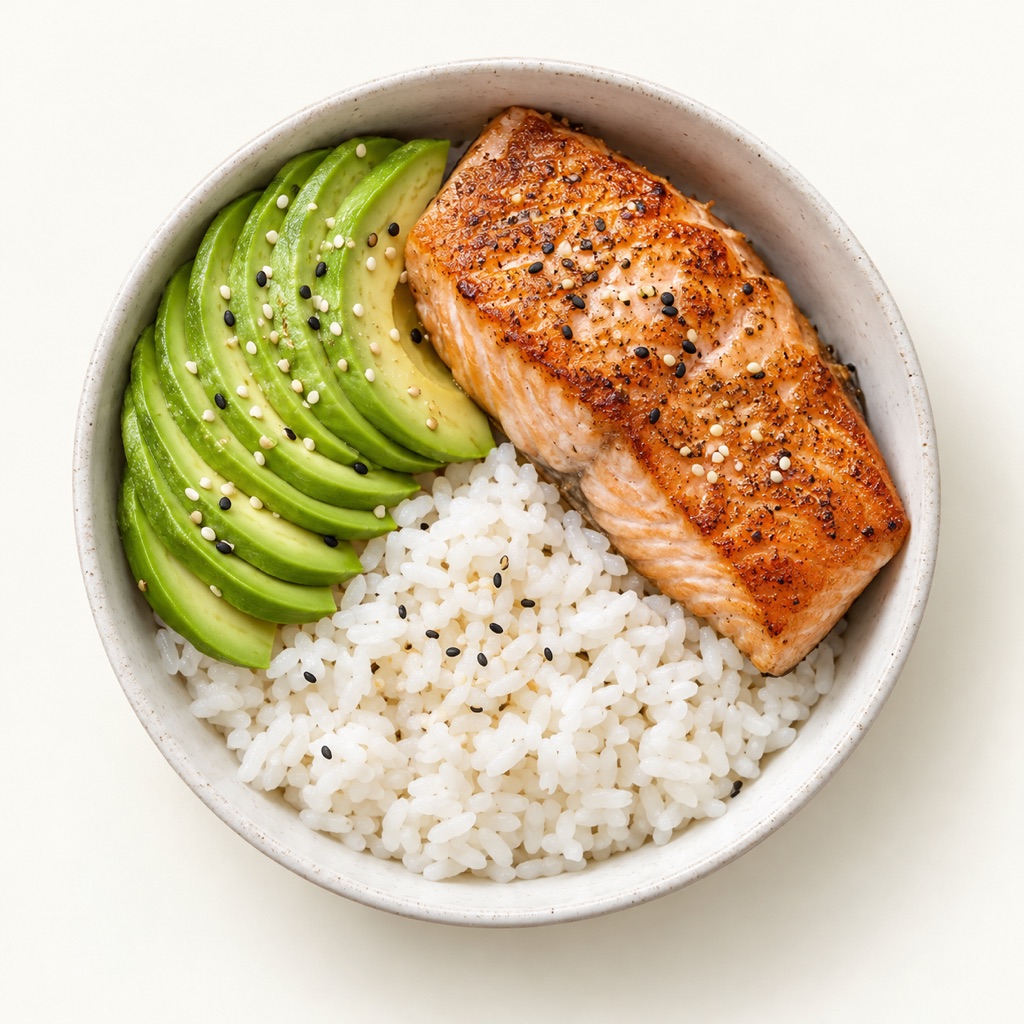
A starting point you can always fine-tune.
Turn a food photo into a meal draft.
Adjust ingredients and portions.
Get to know the patterns in your days.
A LITTLE HANDS-ON
More rice? Less avocado? Go for it.
Move the sliders and watch your meal add up.
A little detail. A clearer picture.
Illustrative portions and nutrition estimates.
A PEEK INSIDE DIETPAD
Real screens from the app.
Pre-release version, with sample entries.
Set the amount, choose the unit, and review the nutrition for each component.
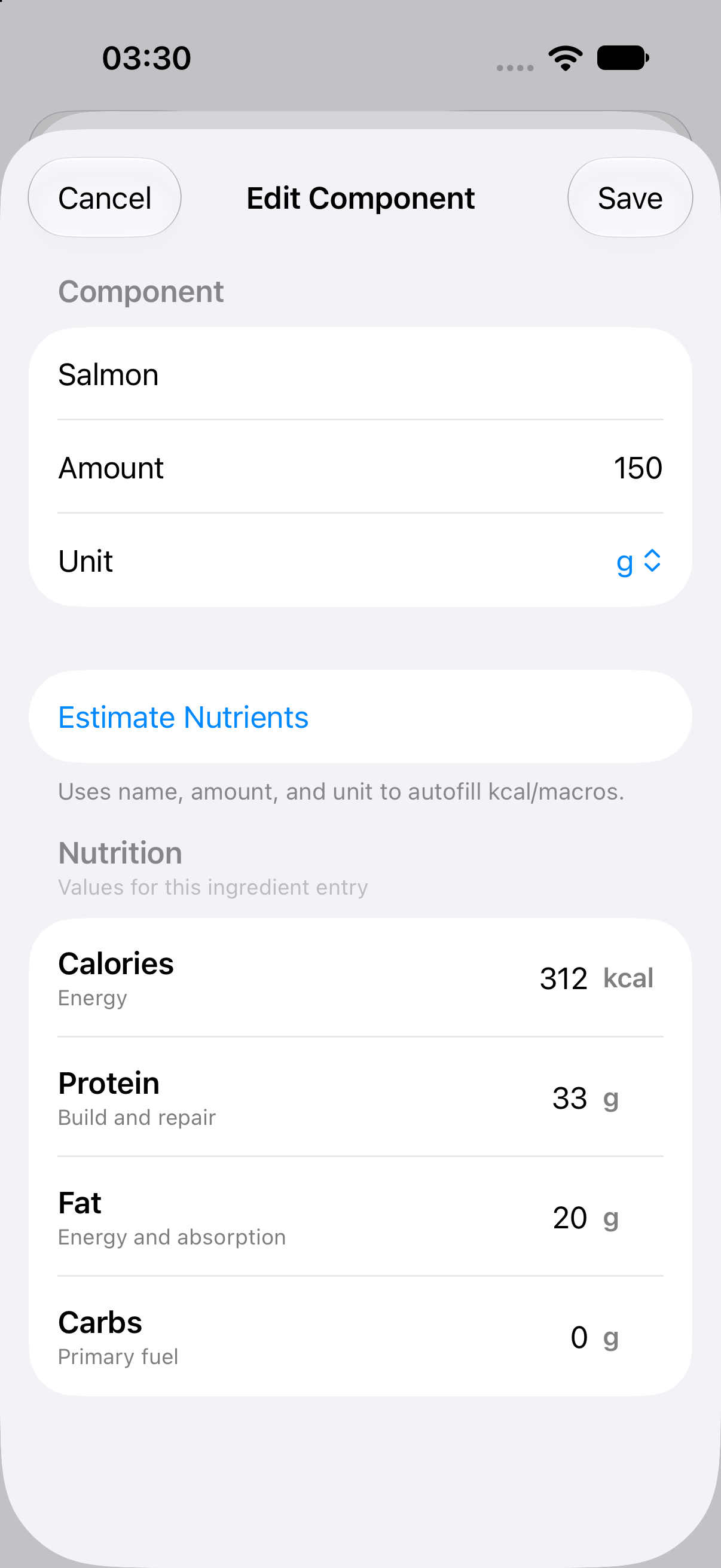 Open full screenshot of the ingredient editor (new tab)
Choose a period, explore your totals, and ask questions about what you’ve logged.
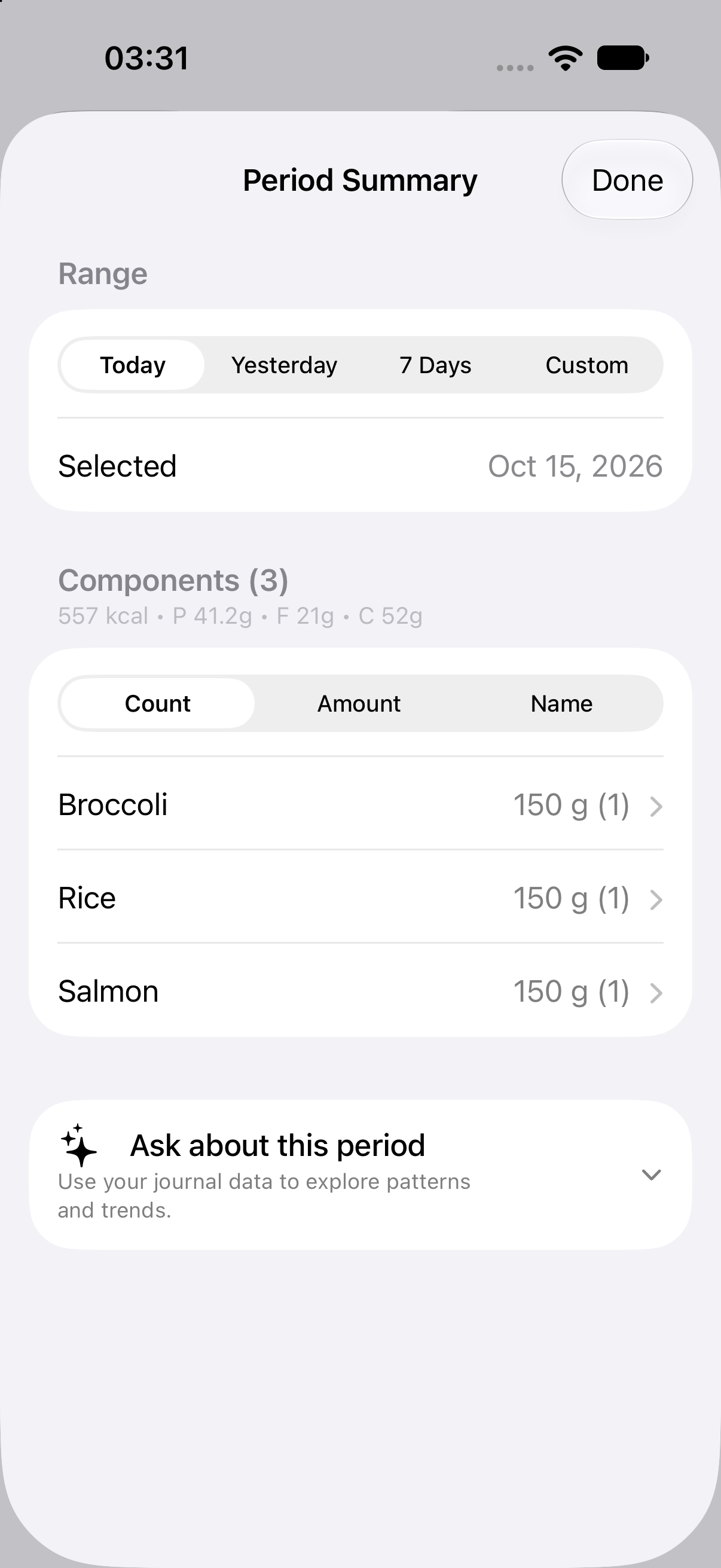 Open full screenshot of the period summary (new tab)
You averaged 78 g a day. Thursday was your highest day, at 90 g.
An illustrative conversation with your diary.
MORE THAN A SINGLE MEAL
Your days are different. Your food diary should have room for that.
Save ingredients and meal templates. Give tomorrow’s breakfast a head start.
Explore your meals and nutrition across days, not just the plate in front of you.
Ask about your patterns. Get answers grounded in the meals you’ve logged.
HERE’S TO YOUR NEXT MEAL
Made for iPhone. Built around your meals.